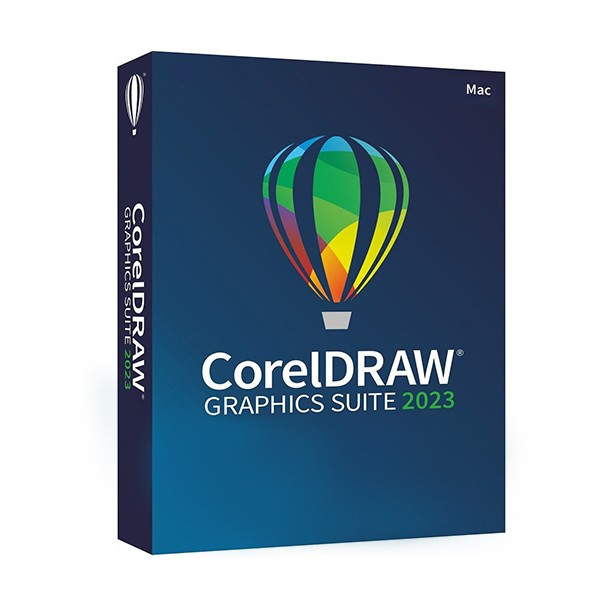
Digital delivery sent via email within a few minutes of receiving payment. These are ESD digital licenses, all product keys are original and have no expiration date, they can be reinstalled on the same device. By purchasing this product, you will receive the digital software to download from our servers with the product key for software activation, including all the instructions for a correct installation. License used and discarded by the previous owner under the judgment C.E. C-128/2011.( see ) The key cannot be attached. to one's own account Activation of the Key directly on Software Compatible with Mac Immediate Digital Delivery 24/7 support also on Whatsapp Reusable in case of formatting CORELDRAW GRAPHICS SUITE 2023 Main applications CorelDRAW® - vector illustration and page layout. Corel PHOTO-PAINT™ - pixel-based image editing and design program. Corel® Font Manager - tool for managing and exploring fonts. PowerTRACE™ - transition from bitmap to vector (included in the CorelDRAW application). CAPTURE™ - screenshot capture tool. AfterShot™ HDR - RAW photo editor. Content 7000 clipart, digital images and vehicle templates 1000 high-resolution digital photos Over 1000 TrueType and OpenType fonts, plus integrated access to over 1400 Google font families. Over 200 professionally designed models. Over 600 gradient, vector and bitmap fills Integrated access to Pantone® color libraries at no additional cost THE NEWS Vector illustration Use the powerful vector illustration tools of CorelDRAW to transform basic lines and shapes into complex works of art. Create curves with numerous versatile drawing and shaping tools. Add creative effects to your artistic works with effect tools such as Contour, Envelope, Blend, Mesh Fill and more. Page layout Rely on all the necessary tools to create layouts for brochures, multi-page documents, and more. Switch from single-page editing to multi-page, giving you the creative freedom to work as you wish. Typography Create great results with a complete set of typographic tools. Add effects to the text, such as shadow blocks and outlines, refine the characters responsively with the support of variable fonts, adapt the text to paths, and much more. Font Management Optimize and manage your font collection with the intuitive Corel Font Manager and use your favorite fonts without having to install them. Work faster using network storage functionality and benefit from direct access to over 1400 Google font families. Colors, fills and transparencies Easily apply color to fills and outlines using color samples or generate colors based on color harmonies. Modify the transparency of an object and fill objects with patterns, gradients, lattice fills and more. Bitmap to vector image tracing Achieve exceptional bitmap to vector transformation results, thanks to the incredible AI-assisted tool PowerTRACE™. Benefit from advanced image optimization options that help improve the quality of a bitmap while performing the tracing. Flexible Design Space Move from conception to output in record time, with new workflows that put you in control of your pages and resources. Styles and Groups of Styles The floating Styles window allows you to manage styles and groups of styles with utmost ease, to apply uniform formatting to various objects, produce interactive versions, and organize entire documents quickly and coherently. Draw in perspective Draw objects or scenes in perspective, faster and easier than ever before. Choose from 1, 2, or 3 point perspective, draw or add a group of existing objects onto a shared perspective plane, and move and modify the objects freely without losing perspective. Extended compatibility with file formats Easily import and export a variety of project resources based on the files provided by the client or their needs, thanks to the support of an extensive list of graphic, publishing and image file formats. Specifications macOS Ventura (13) or macOS Monterey (12), with the latest revision Apple M1 processor (or higher) or Intel Multicore OpenCL 1.2 enabled video card with over 3 GB of VRAM 8 GB of RAM 4 GB of available space on the hard drive for application files (solid state drive recommended); file systems that distinguish between upper and lower case are not supported. Screen resolution of 1280 x 800 (1920 x 1200 recommended) To install and authenticate CorelDRAW Graphics Suite and access some of the included software components, online features, and content, an internet connection is required. This refers to a license in Educational Version.
Check the exact variant and any missing details with MACROSOFT STORE S.R.L. before buying. The description does not represent independent product testing.
Full supplied text
Digital delivery sent via email within a few minutes of receiving payment. These are ESD digital licenses, all product keys are original and have no expiration date, they can be reinstalled on the same device. By purchasing this product, you will receive the digital software to download from our servers with the product key for software activation, including all the instructions for a correct installation. License used and discarded by the previous owner under the judgment C.E. C-128/2011.( see ) The key cannot be attached. to one's own account Activation of the Key directly on Software Compatible with Mac Immediate Digital Delivery 24/7 support also on Whatsapp Reusable in case of formatting CORELDRAW GRAPHICS SUITE 2023 Main applications CorelDRAW® - vector illustration and page layout. Corel PHOTO-PAINT™ - pixel-based image editing and design program. Corel® Font Manager - tool for managing and exploring fonts. PowerTRACE™ - transition from bitmap to vector (included in the CorelDRAW application). CAPTURE™ - screenshot capture tool. AfterShot™ HDR - RAW photo editor. Content 7000 clipart, digital images and vehicle templates 1000 high-resolution digital photos Over 1000 TrueType and OpenType fonts, plus integrated access to over 1400 Google font families. Over 200 professionally designed models. Over 600 gradient, vector and bitmap fills Integrated access to Pantone® color libraries at no additional cost THE NEWS Vector illustration Use the powerful vector illustration tools of CorelDRAW to transform basic lines and shapes into complex works of art. Create curves with numerous versatile drawing and shaping tools. Add creative effects to your artistic works with effect tools such as Contour, Envelope, Blend, Mesh Fill and more. Page layout Rely on all the necessary tools to create layouts for brochures, multi-page documents, and more. Switch from single-page editing to multi-page, giving you the creative freedom to work as you wish. Typography Create great results with a complete set of typographic tools. Add effects to the text, such as shadow blocks and outlines, refine the characters responsively with the support of variable fonts, adapt the text to paths, and much more. Font Management Optimize and manage your font collection with the intuitive Corel Font Manager and use your favorite fonts without having to install them. Work faster using network storage functionality and benefit from direct access to over 1400 Google font families. Colors, fills and transparencies Easily apply color to fills and outlines using color samples or generate colors based on color harmonies. Modify the transparency of an object and fill objects with patterns, gradients, lattice fills and more. Bitmap to vector image tracing Achieve exceptional bitmap to vector transformation results, thanks to the incredible AI-assisted tool PowerTRACE™. Benefit from advanced image optimization options that help improve the quality of a bitmap while performing the tracing. Flexible Design Space Move from conception to output in record time, with new workflows that put you in control of your pages and resources. Styles and Groups of Styles The floating Styles window allows you to manage styles and groups of styles with utmost ease, to apply uniform formatting to various objects, produce interactive versions, and organize entire documents quickly and coherently. Draw in perspective Draw objects or scenes in perspective, faster and easier than ever before. Choose from 1, 2, or 3 point perspective, draw or add a group of existing objects onto a shared perspective plane, and move and modify the objects freely without losing perspective. Extended compatibility with file formats Easily import and export a variety of project resources based on the files provided by the client or their needs, thanks to the support of an extensive list of graphic, publishing and image file formats. Specifications macOS Ventura (13) or macOS Monterey (12), with the latest revision Apple M1 processor (or higher) or Intel Multicore OpenCL 1.2 enabled video card with over 3 GB of VRAM 8 GB of RAM 4 GB of available space on the hard drive for application files (solid state drive recommended); file systems that distinguish between upper and lower case are not supported. Screen resolution of 1280 x 800 (1920 x 1200 recommended) To install and authenticate CorelDRAW Graphics Suite and access some of the included software components, online features, and content, an internet connection is required. This refers to a license in Educational Version. For more specific information related to the product, you can access this link: https://www.coreldraw.com/it/product/coreldraw/
This plain-text view comes from the stored supplier description. It does not represent independent product testing, price or stock verification.